
You are totally independent to insert your files in the nomenclature you want.
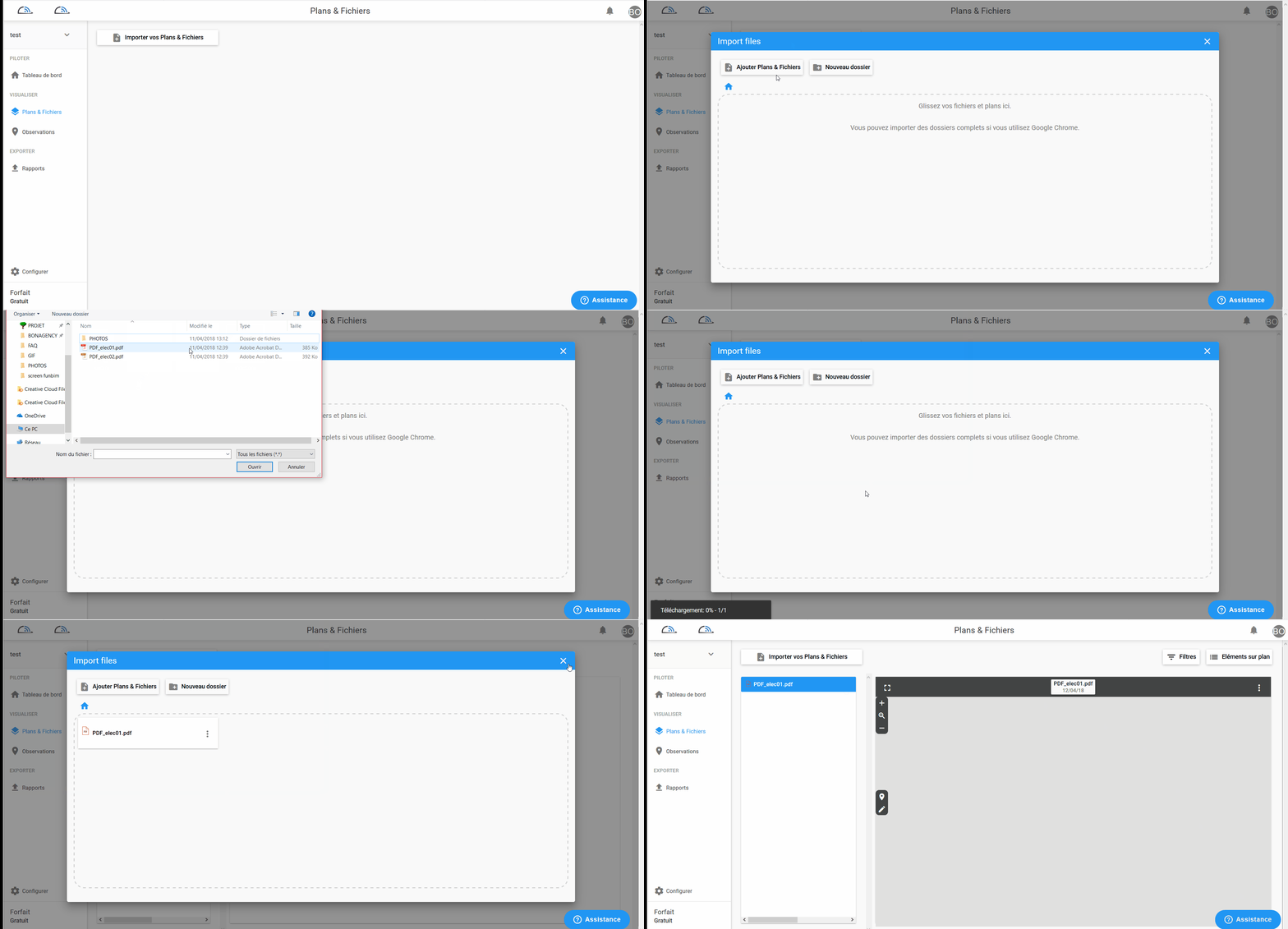
Click on plan and file on your left in the menu.
Then select the folder or only the desired file (only PDF files) you can also directly drag them into the window to add them to your project as in the example below: (drag and drop file and folder with several PDF files)
All you have to do is wait for the download of your files (a black window at the bottom left will show you the evolution of the download).
Comments
0 comments
Article is closed for comments.