
After creating your project, you can configure it, click on the button at the bottom left.

- Insert your Company Logo
- Add or edit your observation types
- Add interactive forms
- Invite people on your project
- Create and edit the batches that will be on your project.
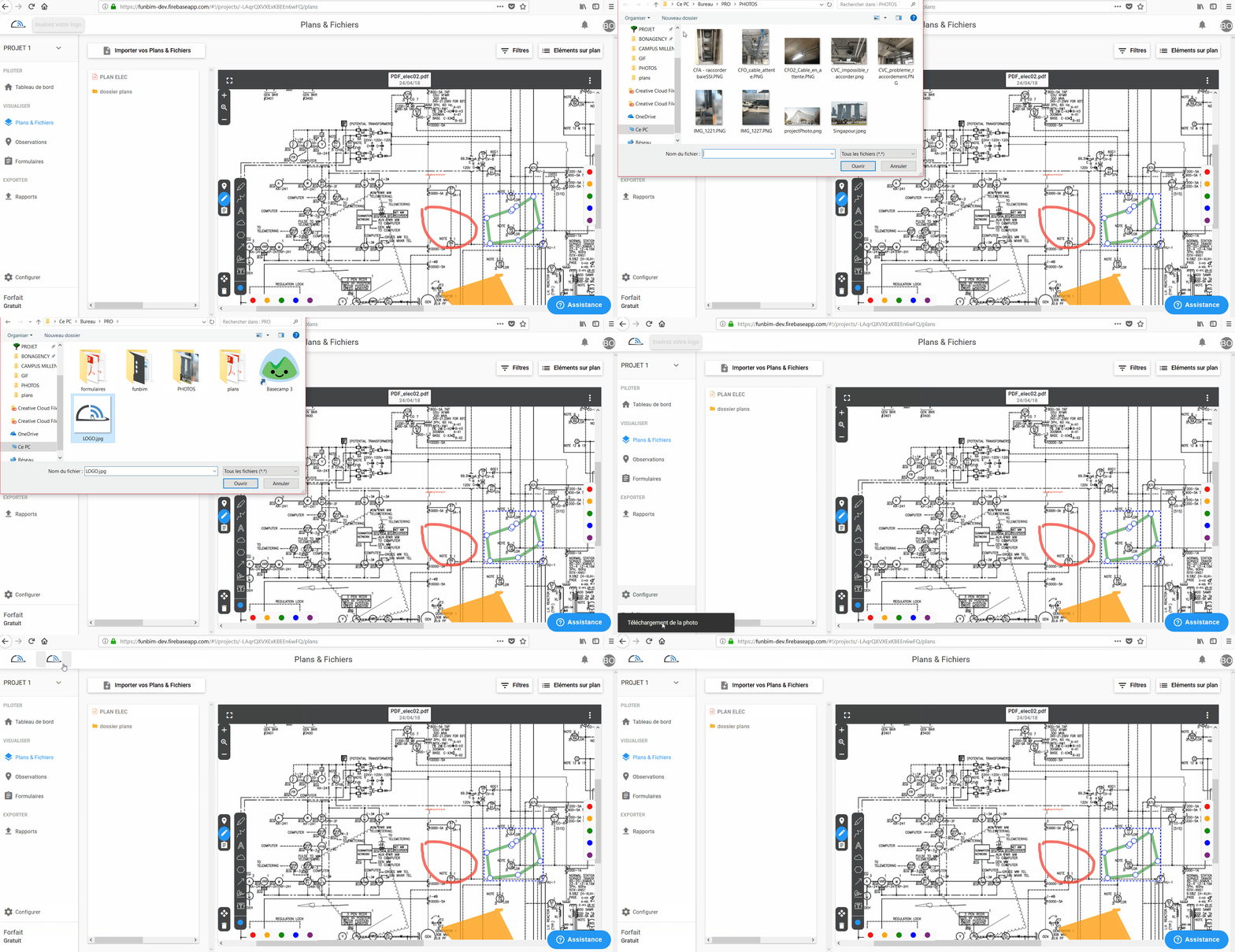
How to insert his LOGO?
Click on the top left of your dashboard and choose your company logo in your listings
How to add a type of observation?
You can insert any type of observation that you want (OPR, Pre-OPR, reserves, observation type site, security type ...).
To add a type of observation you have to go in configuration then "types", it is in this tab that you will be able to set the different observations.
You can also set and change the state that you assign to this observation.
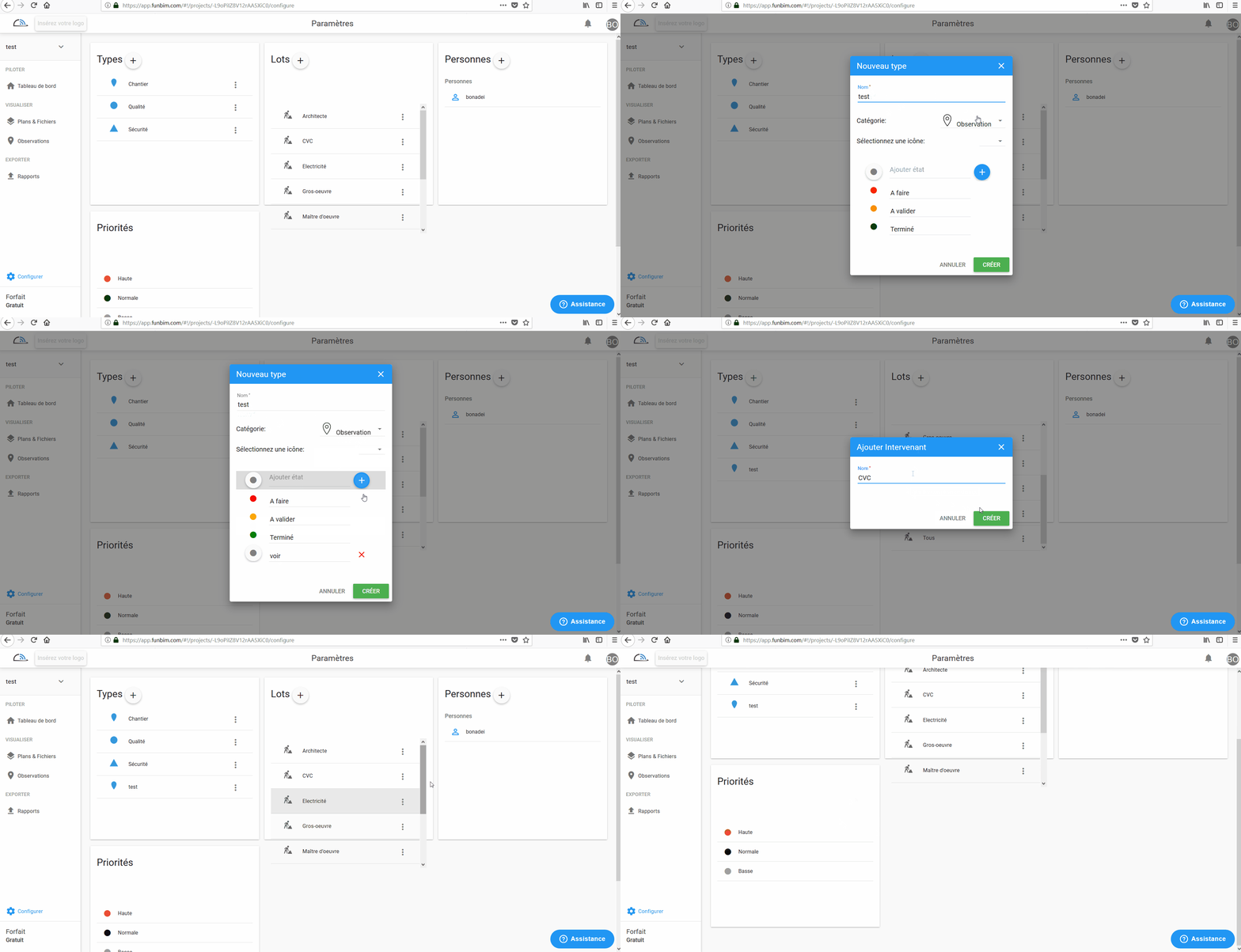
You can also edit or delete an existing observation type.
To do this, click  next to the observation type in question and select edit or delete.
How to create a form type?
To add a type of form you have to go in configuration then "types", it is in this tab that you will be able to configure the different forms, select category form, name it, identify the states assigned to this form and then attach a INTERACTIVE PDF form, and then click create.
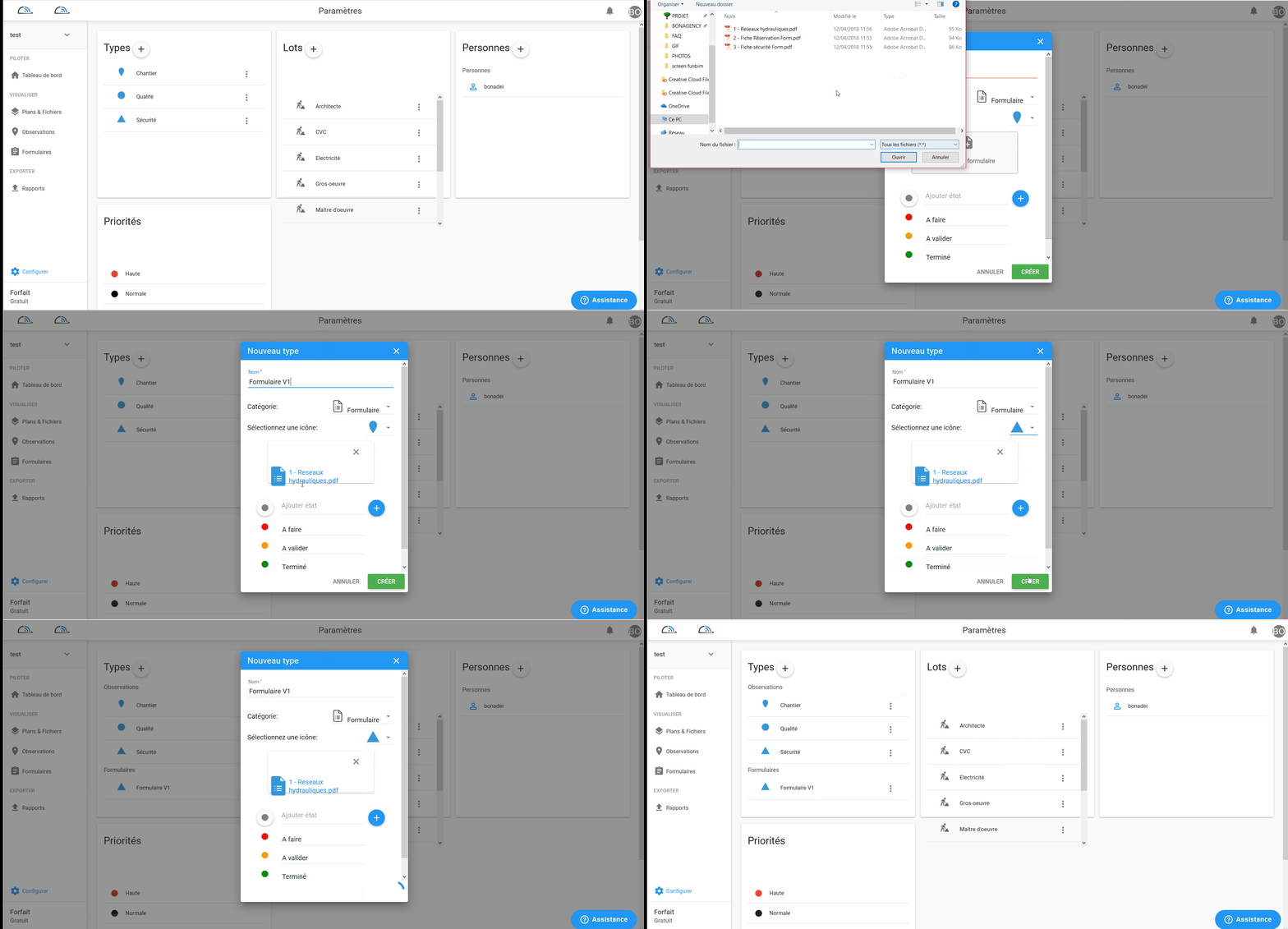
To do this, click
next to the form type and select edit or delete.
How can I invite someone to my project?
To invite people to your project, go to the Configure tab, you will see a People tab, click on  then add the people of your choice with their email address.
1 - You can assign this person to a batch (already saved by default or previously configured by you)
2 - Choose if he can configure and import files
3 - Choose your reading rights:
The user :
- Can see everything on the project
or
- Can see the information assigned to the lot to which it belongs, those assigned to it and that it has created
or
- Can only see the information attributed to him or that he / she has created
4 - Choose your writing rights:
The user :
- Can create / edit
or
- Can only see the information of his batch, those attributed to him and that he / she has created
or
- Can only modify the information assigned to him or that he / she has created
or
- Can only write comments
Then click on invite
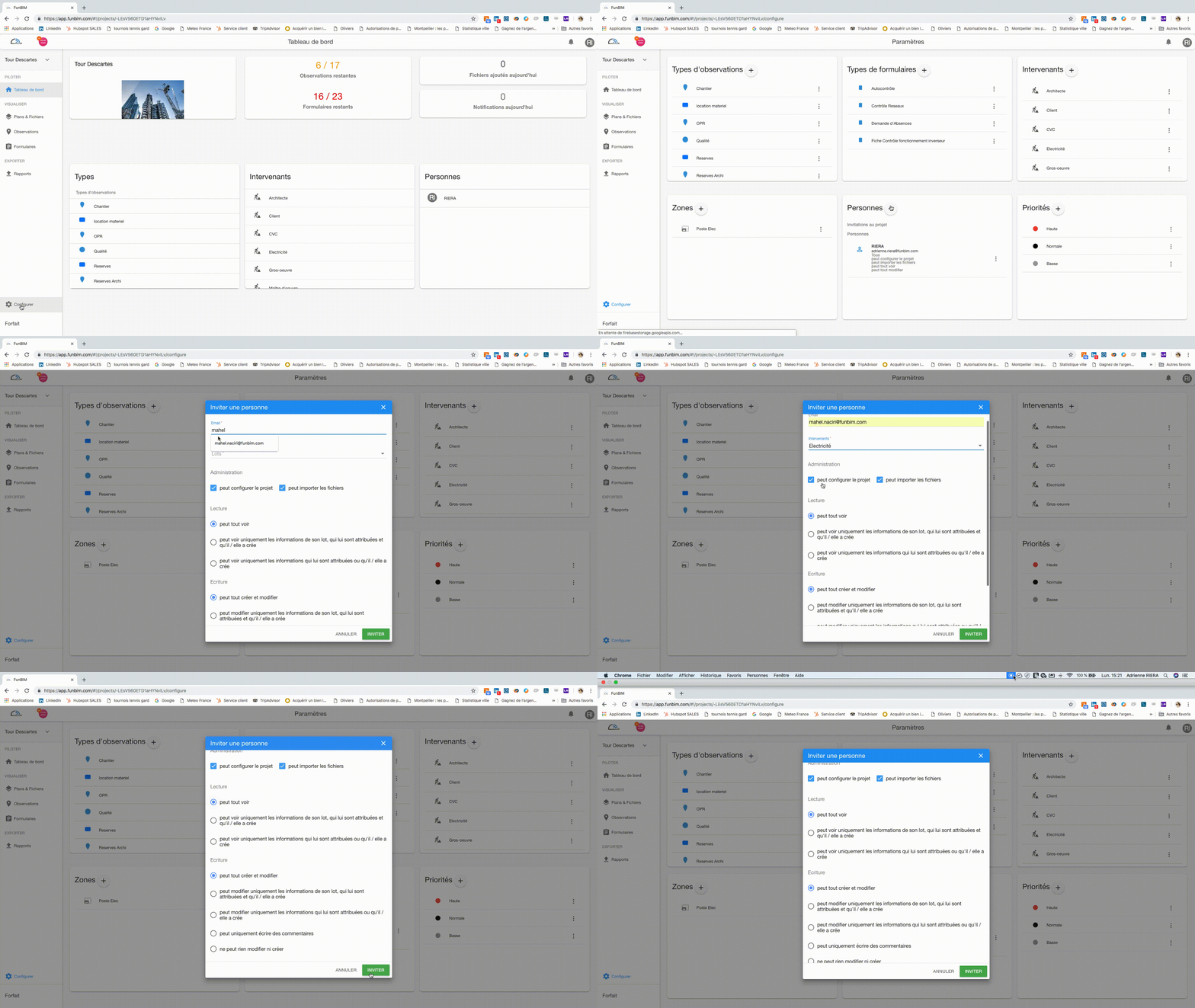
You can delete the invitation by clicking
and delete.How to add a lot?
To add a lot you have to go into configuration and then "batches", it is in this tab that you will be able to add / remove or modify the different batches.
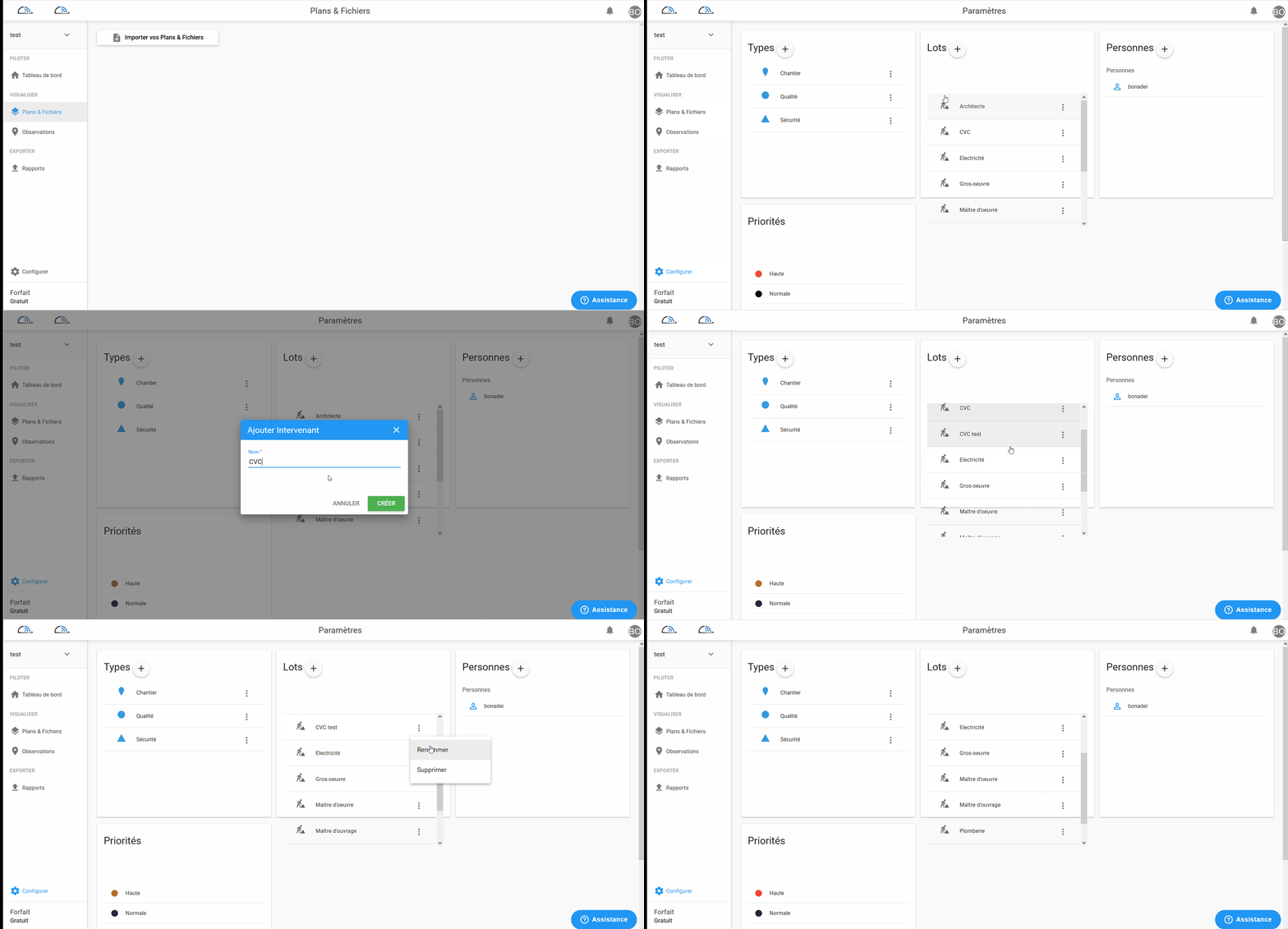
Here is your project is totally set according to your workflows.
Comments
0 comments
Article is closed for comments.