
To add a type of form you have to go in configuration then "types", it is in this tab that you will be able to configure the different forms, select category form, name it, identify the states assigned to this form and then attach a INTERACTIVE PDF form, and then click create.
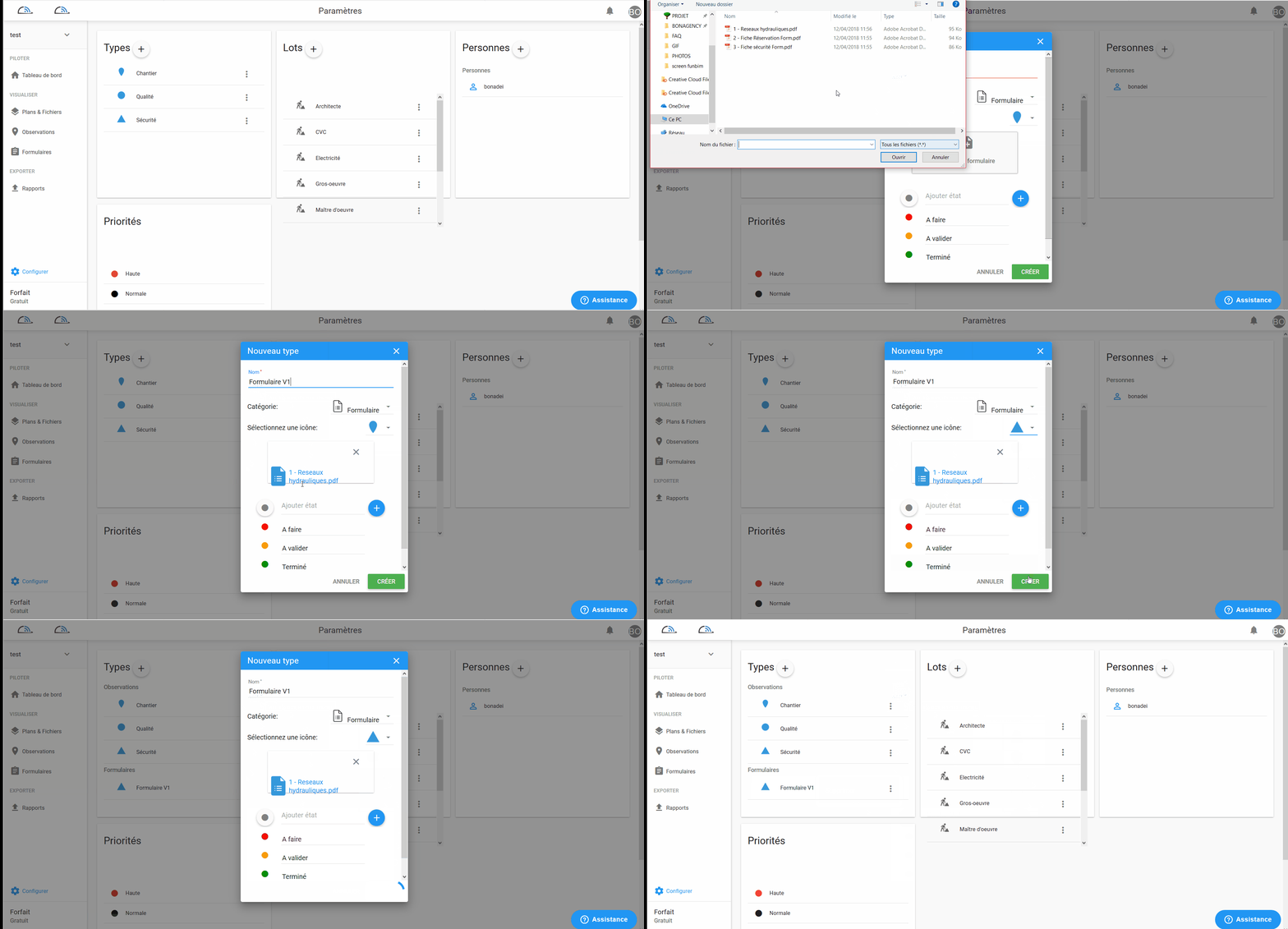
You can also edit or delete an existing form type.
To do so, click next to the form type in question and select edit or delete.
Comments
0 comments
Article is closed for comments.