
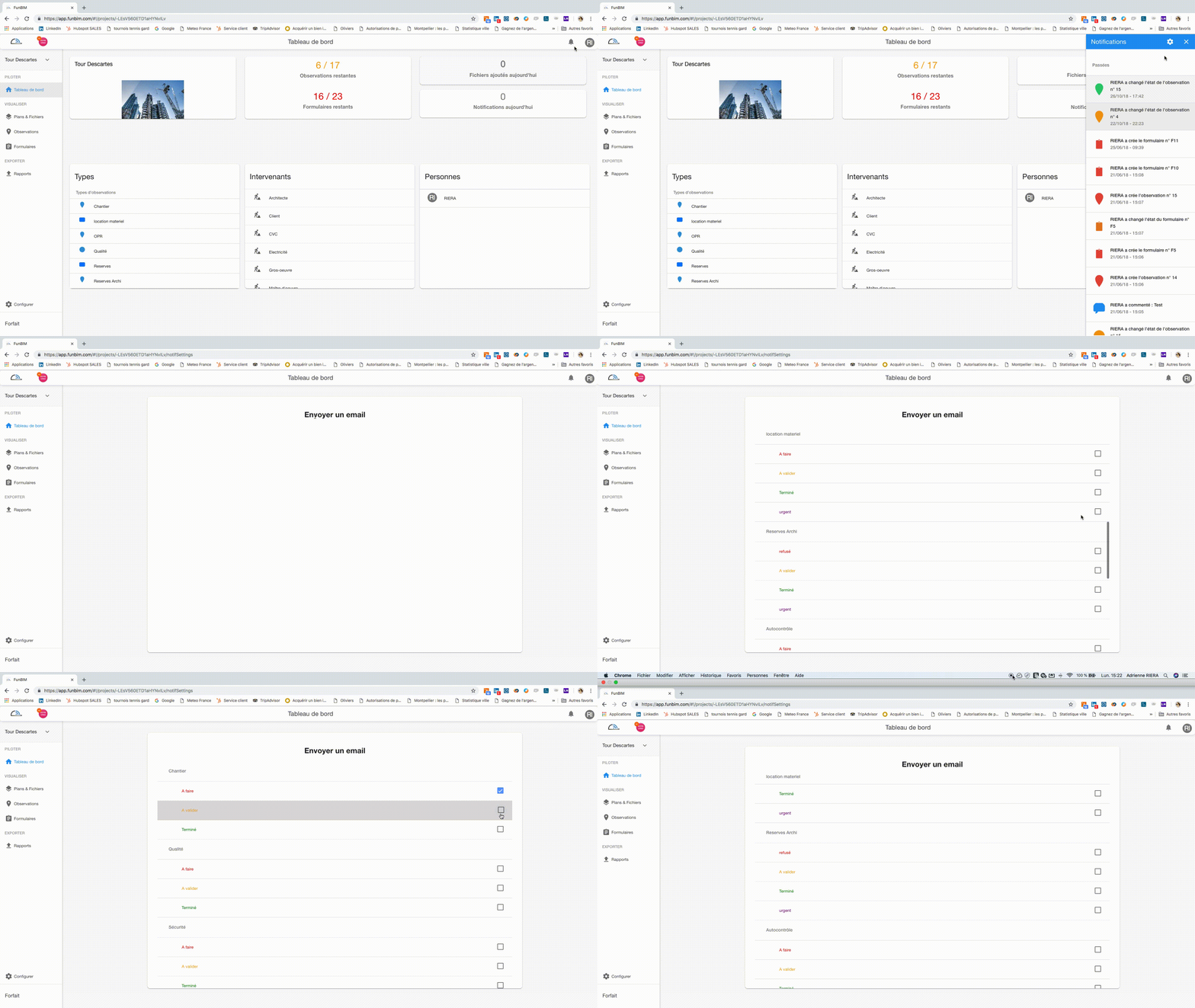
To access notifications, click on the bell  at the top right of the "Dashboard" tab of your project.
You then have access to all the latest project notifications in a drop-down list.
Examples of notifications:
- Add a comment / a photo
- Creating an observation / form
- Change of state of an observation / form
To choose which notifications should be sent to you by mail, click the Adjustment wheel.  at the top right of the drop-down list.
You then have access:
- To the types of observations you have previously parametered with the Workflow you have chosen (Example: To do, To validate, Done)
- Types of forms you have previously parameterized with the Workflow you have chosen.
Finally, just click by type of observation / form on the items you want to receive by mail.
Comments
0 comments
Article is closed for comments.